

I wanted to play a military simulator with friends that is
- DRM free and
- runs on Linux (through Wine).
That brought me to the milestone in gaming history that is Arma: Cold War Assault (previously Operation Flashpoint).
It's a blast and runs on a toaster.
Now I'm creating my own missions and wanted to enable respawning.
That's not easy so here I explain how you go about doing that.
Open the Mission Editor and create the mission of your dreams.
In my case that's a multiplayer mission.
I want players to respawn at their base so I add a marker called respawn_west because we're playing as NATO and not as the USSR.
respawn_east, respawn_guerrila and respawn_civilian are the other three options.
Usually you need to select Save and then Export to multiplayer missions.
Unfortunately, this makes it more difficult to enable respawning in your mission.
We need to select User mission, instead.

That is because The Mission Editor exports a .pbo file into, e.g., C:\GOG Games\Arma Cold War Assault\MPMissions\defend_the_fort_v9.cain.pbo when selecting Export to multiplayer missions.
(I called the mission defend_the_fort_v9.)
.pbo is the format ARMA expects the mission to be in so that one may play it.
However, in that format we cannot adjust any options, like respawning behaviour.
The .pbo file is a compressed directory containing a bunch of files.
When saving as User mission, however, the Mission Editor doesn't create a .pbo file but saves the raw directory, e.g., into C:\GOG Games\Arma Cold War Assault\Users\Stromel\missions\defend_the_fort_v9.Cain.
That's where you'll find a mission.sqm file, also.
We need to create (or modify) the description.ext file inside it.
It is explained on the Bohemia Interactive wiki.
What I want is to respawn at the base so I write:
respawn = "BASE";
respawnDelay = 20;
You can choose from NONE, BIRD, INSTANT, BASE, GROUP and SIDE (see the above wiki for an explanation).
Okay, but we want to play our mission and for that we need a .pbo file.
To convert our directory into a .pbo, we use BinPBO, which is a part of the official BI Tools.
During installation it will ask you a lot of times to continue the install.
Just install everything;
I tried only installing some of the tools and it didn't work.
Oh, and ignore any funny prompts.
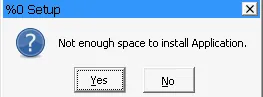
Now we can start C:/Program Files (x86)/Bohemia Interactive/Tools/BinPBO Personal Edition/BinPBO.exe and choose the mission directory and where to put it.
Lastly, the Binarize option didn't work for me so I disabled it.
It works all the same.
You can upload your .pbo to ofpisnotdead-com.github.io/rust-pbo-wasm and check if the description.ext file exists.

And that should be everything.
Load your new mission in the Multiplayer section in ARMA and you should respawn on your base when you die.
Though, do remember that you need to do this procedure every time you export from the Mission Editor.
And as I've said, I'm doing all this on Linux through Wine, managed by Lutris.
Just use the Run EXE inside Wine prefix function to run programs and installers.
Have fun blowing eachother up—repeatedly.

Similar Articles

Real-Time Linux on RISC-V
27th June, 2025 8min
Setting up Linux v6.12 on a StarFive VisionFive 2 with PREEMPT_RT. Also: How to setup your Linux laptop as a simple NAT router.

Docker: Breathing Life into Decades old Fortran
6th April, 2025 4min
Bringing decades old Fortran code to life with Docker and animating it with Python. Now you get to see Fig.3.5. from "Introduction to Conventional Transmission Electron Microscopy" by Prof. Marc De Graef at 30 frames a second.

Dabbling with Zephyr Driver Development: STM32 direct LCD Driver
31st May, 2026 5min
I want to use an LCD glass on an STM32WB55RG, which has an LCD direct driver in hardware. You directly connect all LCD segment and common pins to the SoC. Because I want to use Zephyr but Zephyr doesn't have an LCD driver already, I implemented one myself.

Maki, Atoms and Time Travel
6th February, 2022 20min
Maki showcases how a program for interactive and programmatic animation development can be implemented. Its programmatic approach provides the precision technical concepts require, while its interactivity and real-time updates avoid a disconnect between input and output.